Introducing
Drawn — Banking onyour own terms.
View Prototype (*coming soon)
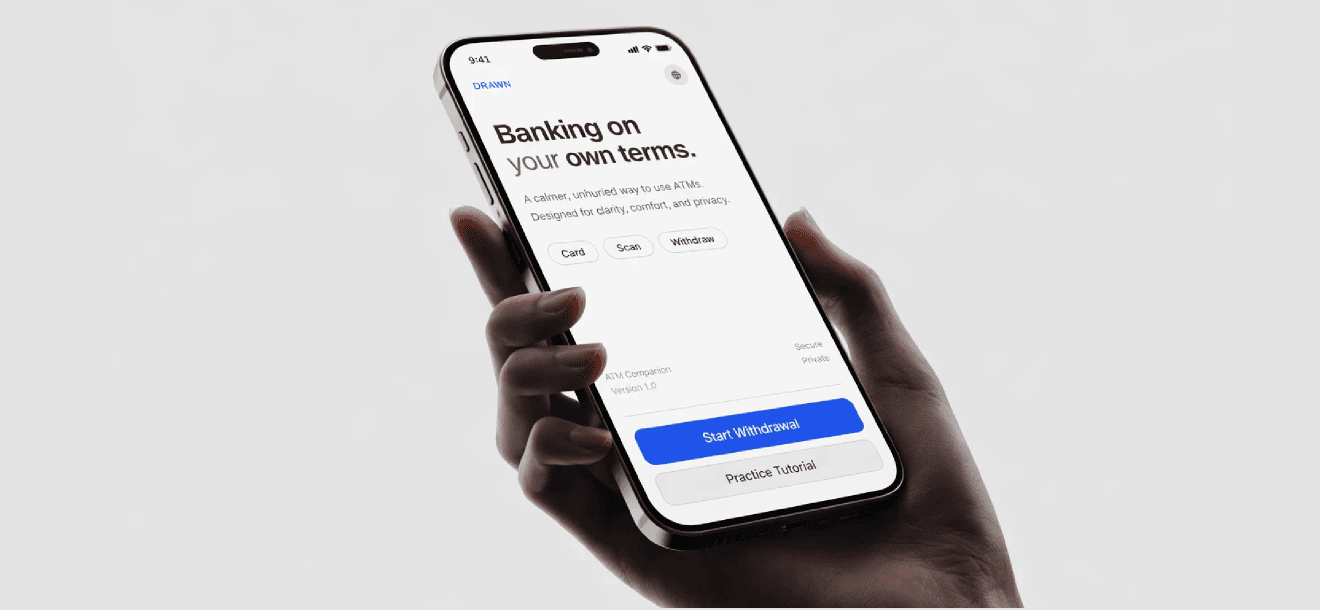
A phone-first ATM companion that shifts complex, pressured interactions to the user's own device — calmer, clearer, and on their schedule.
Timeline
3 Weeks
Course
Universal Design
Role
Solo Designer
Tools
Project Overview
What is Drawn?
Drawn is a phone-first ATM companion designed for neurodivergent users — people for whom the current ATM experience creates sensory overload, time pressure, and unpredictability. The app moves all cognitive and decision-heavy actions onto the user's phone — an environment they already understand — while the ATM itself handles only verification and cash dispensing. Built as a speculative UX project, Drawn proposes what inclusive banking infrastructure could look like when it starts from calm, not efficient
Problem
The ATM wasn't designed for you
Traditional ATM interfaces assume users can process information quickly, under pressure, in a public setting. For neurodivergent users, older adults, or anyone unfamiliar with a particular ATM's layout — this creates friction that feels unnecessary.
HMW
How might we redesign ATM interactions so users operate at their own pace, without public pressure or cognitive overload
Timed sessions create anxiety
ATM sessions time out. Users who need more time to think or read feel rushed — leading to errors or abandoned transactions.
Small screens, cluttered UI
ATM displays haven't kept pace with modern UI standards. Tiny text, crowded layouts, and poor contrast make reading difficult.
Public exposure adds pressure
Entering amounts and PINs in a shared space causes discomfort. Users rush decisions they'd make more carefully in private.
Concept
Phone handles the thinking. ATM handles the doing.
The insight was simple: the ATM is a vault with a screen. The phone is a personal, trusted, accessible device. So divide the labour — ATM does security and dispensing, phone does everything cognitively demanding.
Users insert their card, the ATM generates a QR code. From there, the Drawn app on their phone takes over — they choose their service, enter amounts, preview a full receipt — all at their own pace, on their own screen.
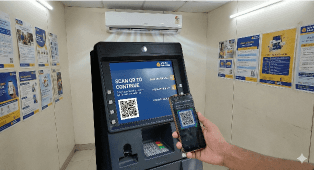
QR Code Scan at ATM
The ATM screen displays a clear QR code with simple instructions. The user scans it using their phone, after putting the card in the ATM.
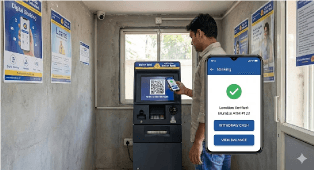
Operate ATM Functions on Phone
User selects ATM services on their phone, reviews balance, amount, and note breakdown in a familiar, accessible interface.
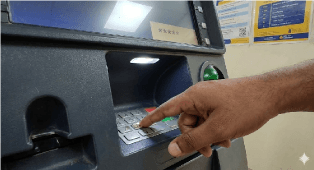
Enter PIN at ATM
User enters their PIN on the ATM keypad to authenticate the transaction and confirm final withdrawal securely.
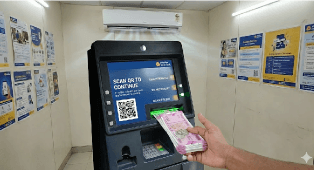
Withdraw Cash
ATM dispenses cash after verification, and a digital receipt with transaction details is saved on the user’s phone.
Final Design
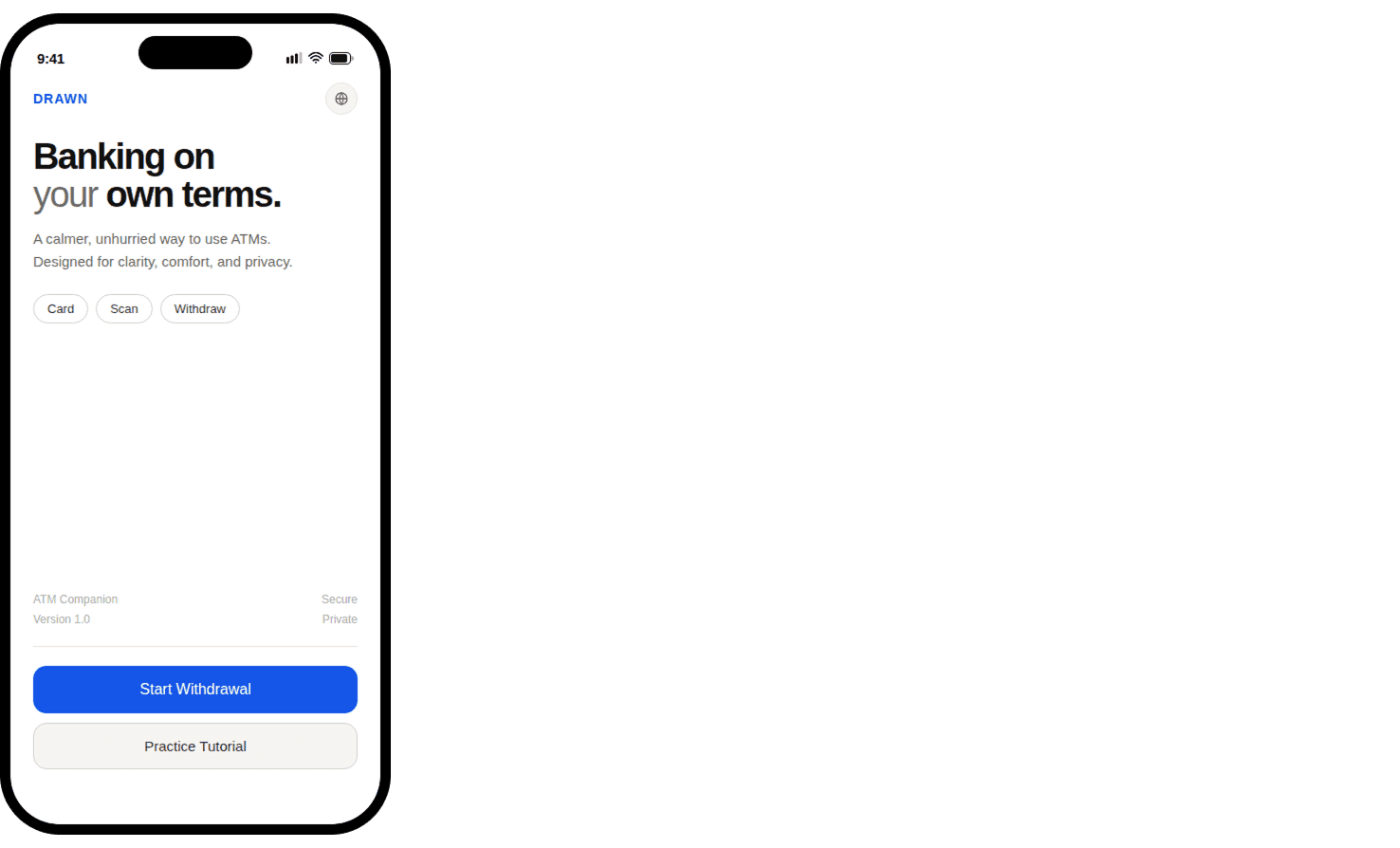
Home Screen
The entry point is intentionally calm. No dashboard, no account overview — just a clear action. Two paths: start a real withdrawal or practice the flow first. The tagline sets the tone from the first second.
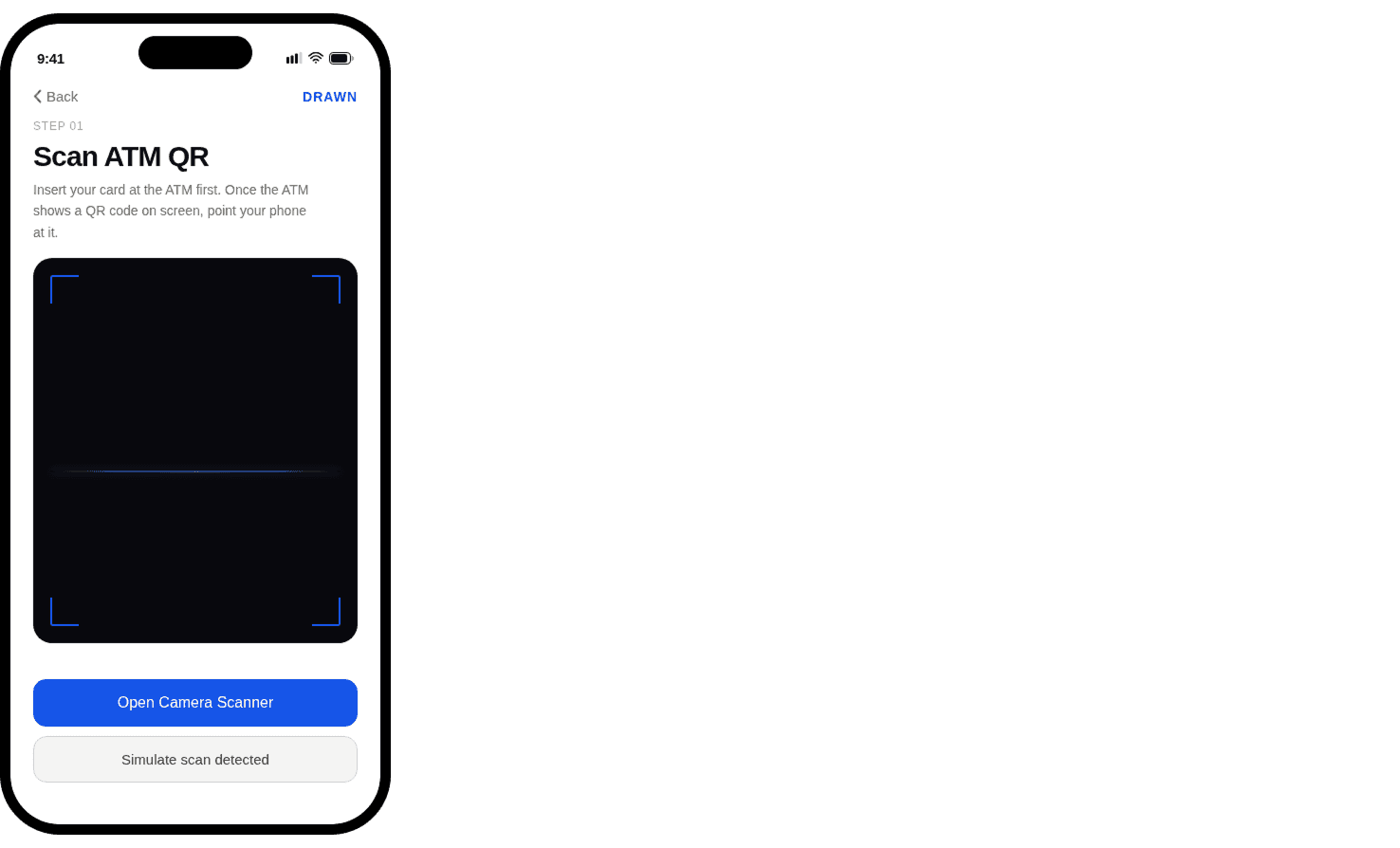
Scan QR from the ATM
The first active step. Plain language instruction — insert card, then scan. The camera viewfinder is full-bleed so users know exactly what they're pointing at. A simulate option exists for testing the flow without an ATM.
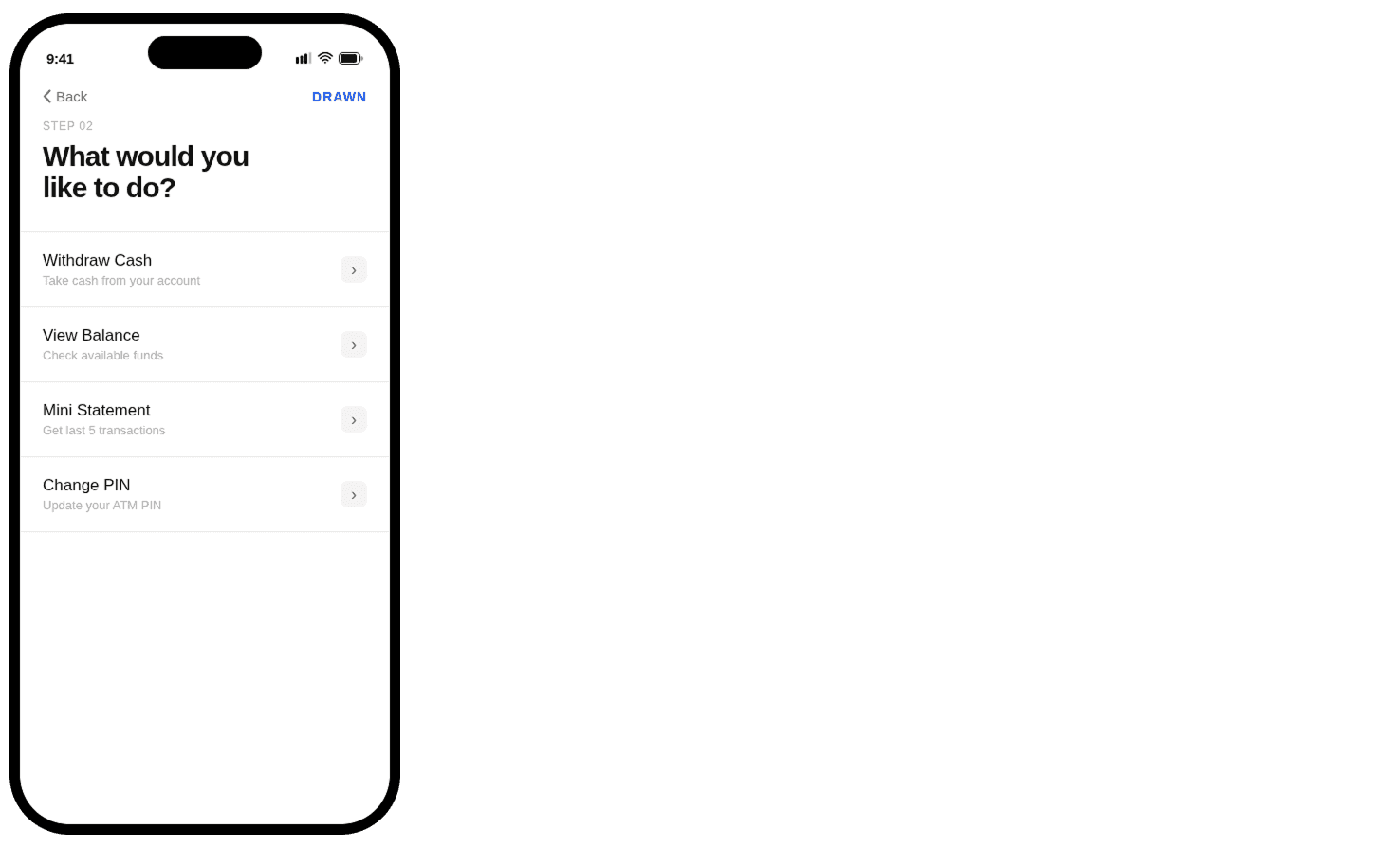
Choose Service
What most ATMs show as a grid of small buttons becomes a clean list with plain-language labels. Each option is a full-width tap target. The hierarchy question: "What would you like to do?" is stated at the top as a human sentence, not a command.
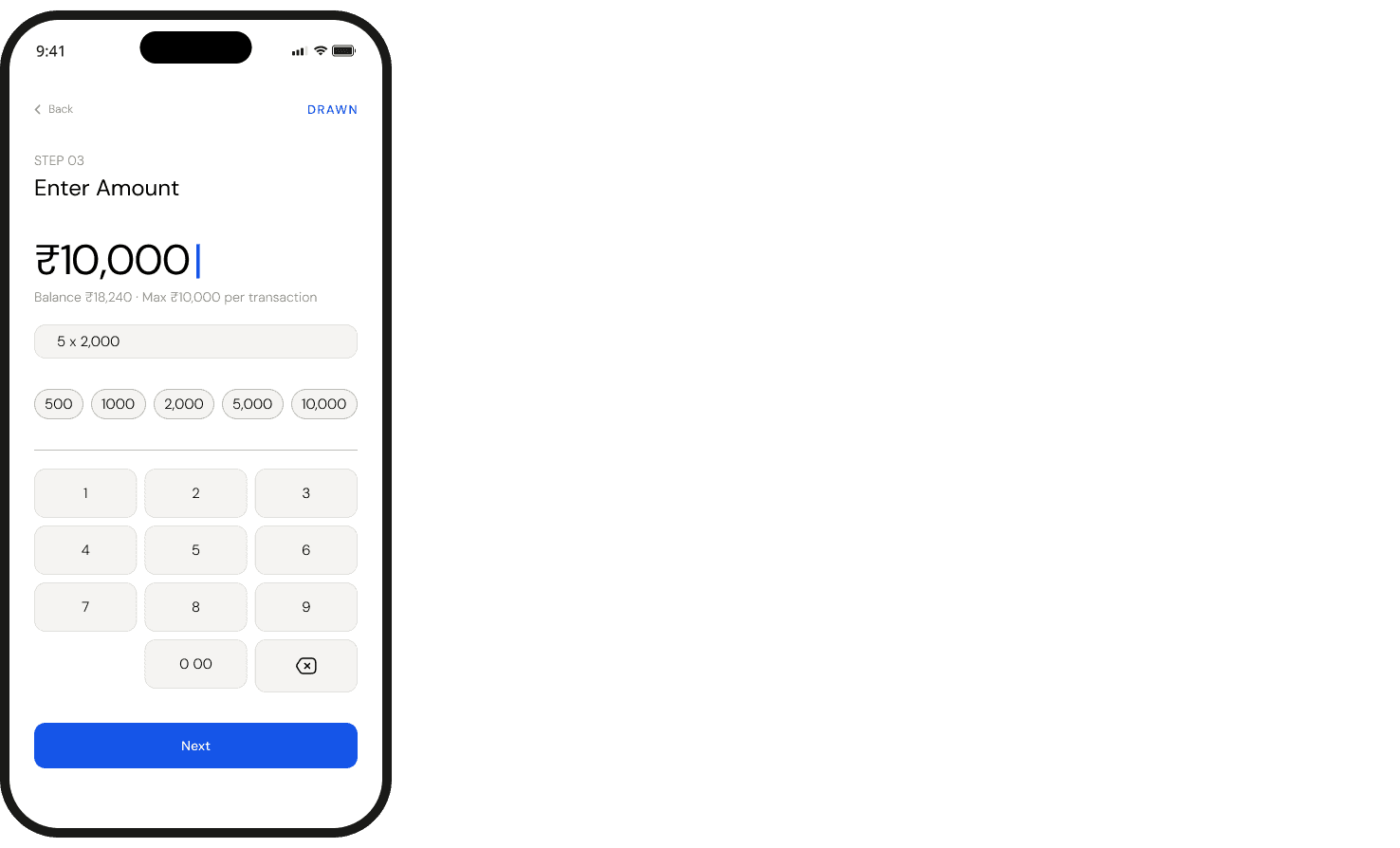
Enter The Desired Amount
The keyboard shows up, and so does context. Balance, transaction limit, note breakdown — everything the user needs before they commit to a number. Quick-select chips handle the common cases. The input does the math out loud.
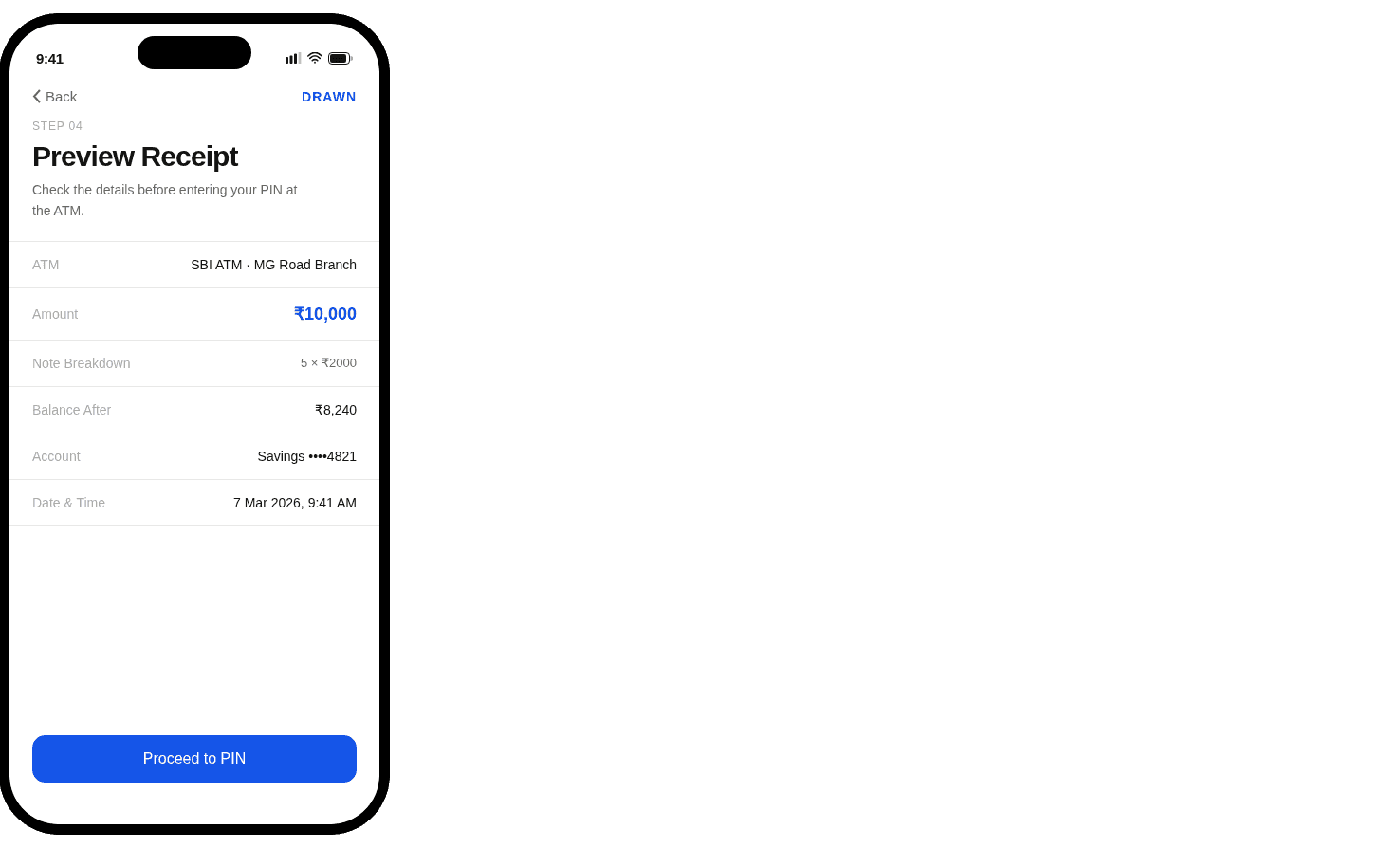
Preview the Receipt for Double Check
Nothing happens yet. This screen just shows what's about to. ATM location, amount, how the notes will come out, what's left in the account after — all of it, before the PIN is touched. A moment to check, not a formality to skip.
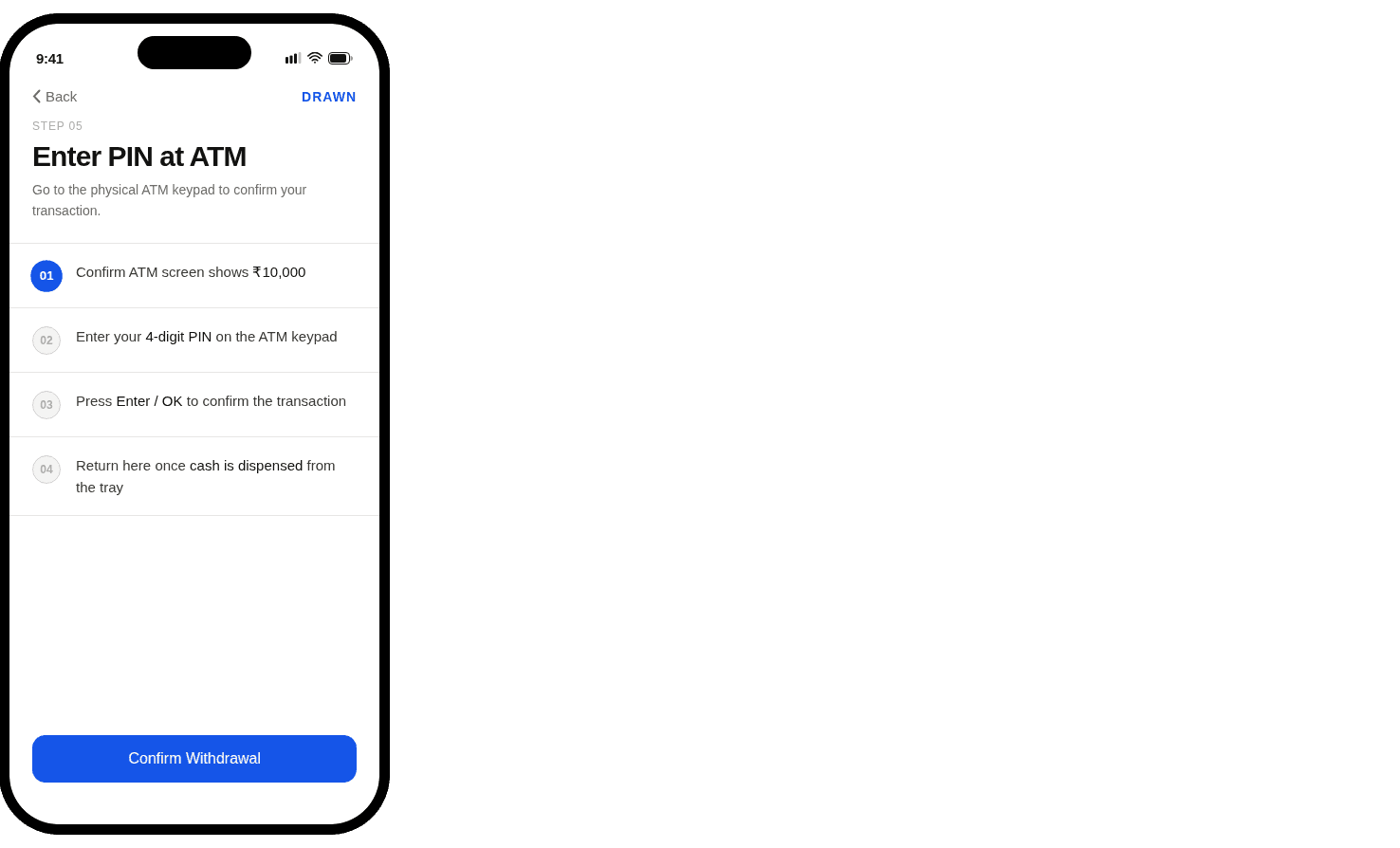
Enter The PIN At The ATM For Safety Purpouse
The phone can't follow the user to the keypad. So this screen does the next best thing — it tells them exactly what to do, in order, while they're standing there. The app steps back. The checklist steps in.
Outcome
What Drawn delivers?
No time pressure
Everything is set up on your phone before you're anywhere near the machine. You choose your amount, review your notes breakdown, and confirm the transaction completely at your own pace — no queue behind you, no blinking cursor rushing you along.
Privacy preserved
Your PIN never touches the ATM keypad, and nothing sensitive is ever visible in a public space. The entire interaction happens on a screen only you can see, in your hand, at whatever angle and distance feels comfortable to you.
Full clarity, no surprises
Every detail is surfaced before anything is committed. You see the exact denomination of notes you'll receive, your projected balance after the withdrawal, and a clear confirmation screen — so what you approve on your phone is precisely what the ATM delivers.
Reflection
What I'd do differently
Haven't tested with real users yet — heuristics only get us so far. Five people at an actual ATM will tell us more than any prototype.
The experience just stops — there's an opportunity to follow through on the phone with a summary or notification, rather than handing back to the ATM and disappearing.
